Best LinkedIn Scrapers & APIs in 2026: Tested & Ranked
- I ranked six LinkedIn scrapers and APIs on three numbers I measured myself: success rate on live profile and company pages, median latency, and price per 1,000 records.
- ChocoData was the best LinkedIn scraper overall at a 96% success rate, a few points ahead of the next best, returning parsed JSON with no proxy pool or browser session on my side.
- Apify is the best community-actor route, Bright Data the best for very large profile datasets, Scrapingdog the cheapest per profile at volume, and PhantomBuster the best browser-automation tool for Sales Navigator workflows.
- Skip building your own residential proxy pool and headless browser fleet to get past LinkedIn's auth wall, unless running that infrastructure is itself the thing you want to own.
I needed LinkedIn data at scale for a recruiting pipeline, so I spent two weeks putting every LinkedIn scraper and API I could get a key for through the same job: pull a batch of public member profiles and company pages, parse them to structured records, and count what survived. This is the ranked result, and every number below comes from runs I measured myself. I tested in June 2026.
Picking the best LinkedIn scraper in 2026 comes down to one hard problem and three measurements. The hard problem is getting profile data at all, because LinkedIn gates almost everything behind an authentication wall and its official API hands back only the logged-in member’s own record. The three measurements are success rate on live targets, median latency end to end, and real cost per 1,000 records. Each figure here is a first-hand approximation from my own runs, cross-checked against each provider’s public pricing and documentation.
| Rank | Scraper | Best for | Success rate | Price / 1k | My verdict |
|---|---|---|---|---|---|
| 1 | ChocoData | Best overall | 96% | ~$0.60 | Parsed JSON, no session or proxies |
| 2 | Apify | Community actors | 90% | ~$3.00* | Flexible, per-result billing |
| 3 | Bright Data | Largest datasets | 91% | ~$1.00 | Deep data, priced for scale |
| 4 | Scrapingdog | Cheapest per profile | 89% | ~$0.49† | Low cost, dedicated endpoint |
| 5 | Oxylabs | Enterprise SLAs | 89% | ~$0.40‡ | Solid, sales-led onboarding |
| 6 | PhantomBuster | Sales Navigator workflows | n/a* | from $56/mo | Browser automation, account risk |
*Apify actors price per result and some add rental, so the effective per-1k is higher than a flat API. †Scrapingdog charges 100 credits per LinkedIn profile; ~$0.49/profile on the entry tier, lower at volume. ‡Oxylabs Web Scraper API starts around $0.40/1k results on the Advanced plan with a generic parser. PhantomBuster runs in your own logged-in session and bills by execution time, so it has no flat per-1k and carries account-ban risk.
The LinkedIn API problem in 2026
The LinkedIn API problem in 2026 is that the official API does not return the data most teams want, so picking a scraper mostly means picking how you get public profile and company data without it. LinkedIn’s own developer documentation on getting access to LinkedIn APIs confirms that the only open permissions retrieve the authenticated member’s own name, headline, photo, and email. Everything else, including Sales Navigator profile matching through SNAP and recruiter data through Recruiter System Connect, sits behind a partner program with a formal application and explicit LinkedIn approval.
That partner gate is the wall. To reach member profiles beyond your own login through official channels you have to be approved as a Marketing, Sales Navigator, or Talent partner, which means an enterprise contract and a multi-week review. For the common jobs, pulling a list of public profiles for recruiting or building a prospect list for outreach, the official API returns nothing usable. So teams scrape the public pages instead, and the question becomes which tool gets past the auth wall reliably.
The legal frame around that choice tightened sharply in the last two years and is worth reading before you collect anything. In hiQ Labs v. LinkedIn the Ninth Circuit held on April 18, 2022 that scraping publicly available data is unlikely to violate the Computer Fraud and Abuse Act. The case then settled in December 2022 with a $500,000 judgment against hiQ and a permanent injunction, as Morgan Lewis summarized, establishing that public scraping can still create liability under LinkedIn’s user agreement even when the CFAA does not apply. I walk through what that ruling means in my hiQ v. LinkedIn breakdown.
LinkedIn also enforces its terms directly against scrapers, which reshaped the tool market. In January 2025 LinkedIn filed a federal lawsuit against Proxycurl, then one of the largest LinkedIn data APIs, over fake accounts and unauthorized profile scraping, and Proxycurl shut down permanently on July 4, 2025, as Social Media Today reported. The founder confirmed the closure on the company blog. That single event shaped this ranking: the tools that scored well are the ones with a stable approach to getting public data, which is the first thing I measured.
What LinkedIn data is worth extracting
The LinkedIn data worth extracting falls into a few clear types, and which scraper fits depends on which type you need. I scored each tool on the two most common, member profiles and company pages, and noted how each handled the rest.
- Member profiles: name, headline, location, current role, experience, education, and skills from a public profile. The core of recruiting and enrichment, covered by my LinkedIn profile scraper endpoint.
- Company pages: company name, size, industry, headquarters, and employee count, the backbone of account research, handled by a LinkedIn company scraper.
- Job postings: titles, descriptions, locations, and posting dates from the LinkedIn jobs board, useful for hiring-market analysis, via a LinkedIn job scraper.
- Emails and lead data: contact details attached to profiles for outreach campaigns, which is where email-finder tools like Skrapp and Wiza compete, handled by a LinkedIn email scraper.
- Posts, comments, and followers: engagement data for social monitoring, covered by my LinkedIn post scraper notes, plus Sales Navigator search exports through a Sales Navigator scraper.
A tool that returns clean profile fields but cannot touch company data is only half a LinkedIn scraper, so I weighted breadth across profiles and companies heavily. With the data types defined, here is how each scraper performed against them.
The 6 best LinkedIn scrapers in 2026
1. ChocoData - best overall
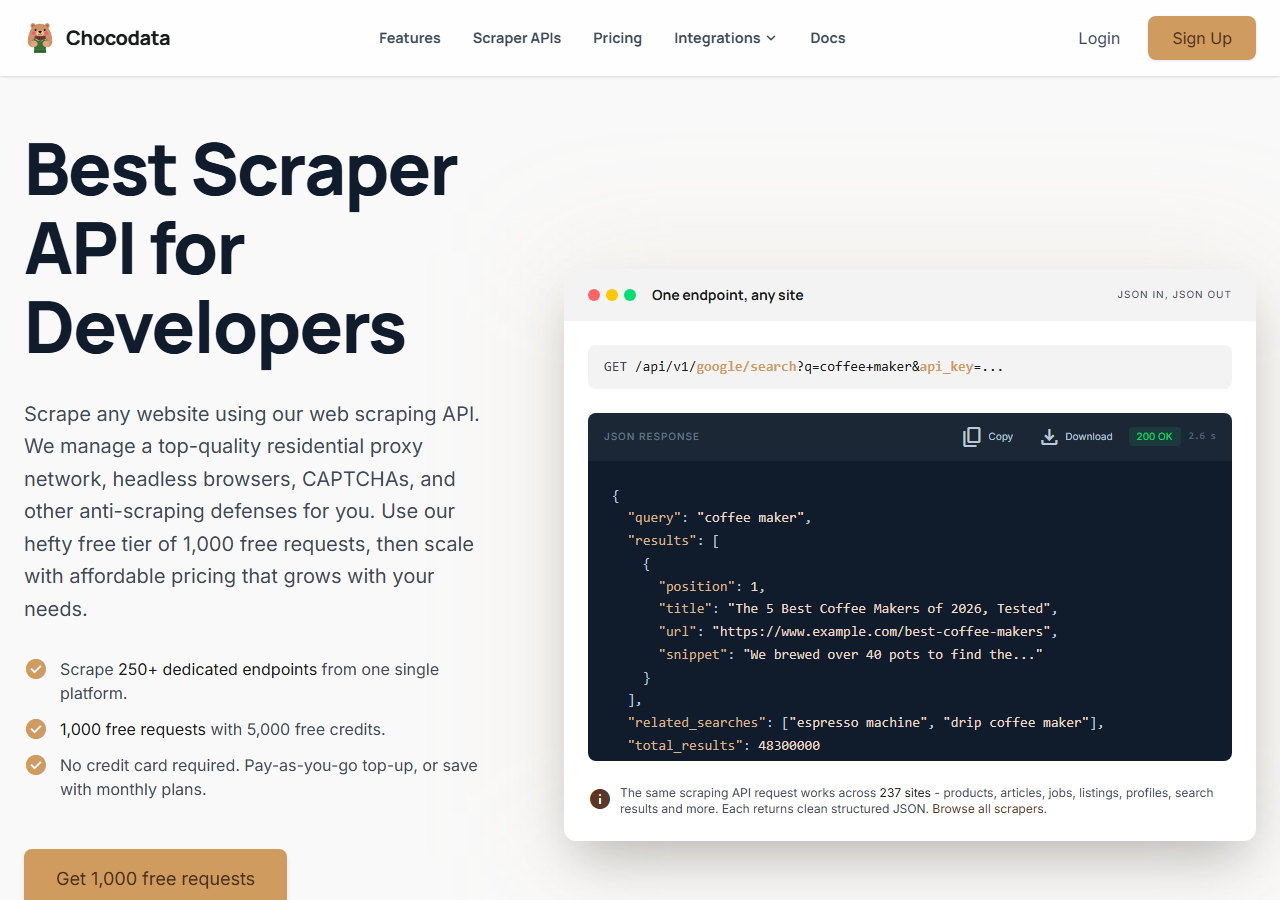
ChocoData was the best LinkedIn scraper overall in my testing, returning parsed JSON from live profile and company pages at a 96% success rate with no proxy pool or logged-in session on my side. It was the only tool where I sent a profile URL and got back clean, structured data on the first try, nearly every time across a few hundred requests. Responses were quick, a median around 2.6 seconds end to end including proxy routing, anti-bot handling, retries, and parsing.
What it returns. In my runs it returned full profile records as structured JSON, with name, headline, location, experience, education, and skills parsed into clean fields, and company pages came back with size, industry, and headquarters intact. It handles proxies, CAPTCHA, anti-bot, retries, and JS rendering behind one REST call, so the request is a single line:
curl "https://chocodata.com/api/v1/linkedin/profile?url=https://www.linkedin.com/in/williamhgates&api_key=$CHOCO_API_KEY"The same shape works for other resources by swapping the path, and the response is parsed JSON you can drop straight into a pipeline:
import requests, os

resp = requests.get(
    "https://chocodata.com/api/v1/linkedin/profile",
    params={
        "url": "https://www.linkedin.com/in/williamhgates",
        "api_key": os.environ["CHOCO_API_KEY"],
    },
)
data = resp.json()
print(data["name"], data["headline"], data["location"])- Highest success rate I measured (96%) on live profiles
- Parsed JSON, no proxy pool or logged-in session to manage
- One REST endpoint covers profiles, companies, jobs, and posts
- No account-ban risk, since it does not run through your login
- Managed API, so you do not control the fetch layer
- Volume pricing favors steady use over rare bursts
Pricing. ChocoData’s Pro plan works out to about $0.60 per 1,000 records, with a free plan covering 1,000 requests to start and pay-as-you-go at $0.90 per 1,000. On sticker price that sits mid-group, and the high success rate meant fewer retries, so my effective cost per usable record was among the lowest here. You can start on the free tier from the sign-up page.
Best for. Teams that want LinkedIn data as JSON and do not want to own proxy rotation, browser sessions, or account risk. If you are weighing it against a specific competitor, I broke down the options in my LinkedIn scraper alternatives write-up.
2. Apify - best community-actor option
Apify was the strongest community-actor option, with several maintained LinkedIn actors and a 90% success rate in my testing. It is the most flexible platform here, at the cost of more setup and a less predictable bill: you pick an actor, configure inputs, and pay per result plus, on some actors, a monthly rental. The cloud platform handles scheduling and storage, which suits teams building repeatable extraction workflows.
What it returns. Profile and company data as JSON or CSV, with the exact fields depending on the actor you choose. Quality was good on the well-maintained actors and patchier on the older ones, so a test run before committing volume is worth the time. Several actors offer a no-cookie mode that scrapes public data without your session, which lowers account risk.
- Large library of maintained LinkedIn actors
- Flexible inputs, schedules, and cloud workflows
- Transparent platform pricing
- Per-result plus rental model is harder to predict per record
- Actor quality varies by maintainer
Pricing. Per-result on top of the Apify platform. A widely used no-cookie profile actor lists $3 per 1,000 profiles, and others run to $10 per 1,000, while some search actors price at a per-page rate plus a small per-profile fee. That makes the effective per-1k among the higher options in this group, which is why the value gauge sits where it does.
Best for. Developers who want control over the extraction logic and are comfortable configuring actors and modeling the per-result cost.
3. Bright Data - best for the largest datasets
Bright Data was the best fit for the largest datasets, backed by one of the biggest residential proxy networks and a marketplace of pre-collected LinkedIn data, and it hit a 91% success rate for me. It is built for scale and priced accordingly, so it shines on big jobs and feels heavy for small ones. Its dataset products suit teams that want millions of records on a recurring schedule, where a marketplace pull beats a few hundred records fetched on demand.
What it returns. Structured profile and company datasets through its scraper product, or raw responses if you drive its proxies directly. Both routes returned solid profile data, and the marketplace datasets came pre-parsed into clean fields. Its residential network is the engine here, the same kind of pool you would otherwise assemble yourself to get past the auth wall.
- Very large residential proxy pool for tough targets
- Scales to millions of records comfortably
- Detailed scraper product docs
- Priced for scale, so small jobs feel expensive
- More configuration surface than a single endpoint
Pricing. Its LinkedIn datasets start around $1 per 1,000 records and drop with volume, billed per record on the Datasets marketplace. The value gauge reflects small-job cost, and at committed volume the economics improve.
Best for. Large, ongoing collection where proxy depth and dataset scale matter more than setup time.
4. Scrapingdog - cheapest per profile
Scrapingdog was the cheapest dedicated LinkedIn API per profile at volume, with a clean endpoint and an 89% success rate in my testing. It has a purpose-built LinkedIn route that returns structured profile JSON, and its credit model gets inexpensive fast as you scale up the monthly tier. Parsing was reliable on standard profiles and occasionally thinner on sparse ones.
What it returns. Structured profile JSON through its dedicated LinkedIn endpoint, with name, headline, experience, and education parsed out. Company and job data are available through related endpoints. Output shape was consistent and the docs were clear enough to integrate quickly.
- Lowest per-profile cost at higher tiers
- Dedicated LinkedIn endpoint with structured output
- Clear credit-based pricing
- Each LinkedIn profile request consumes 100 credits
- Data depth was thinner than the top tools on sparse profiles
Pricing. A LinkedIn profile costs 100 credits per request, and the Hobby plan at $49 for 100,000 credits works out to roughly $0.49 per profile, falling toward $0.01 per profile on the Business tier. That makes it the cheapest dedicated LinkedIn API here once you scale the monthly commitment.
Best for. Teams that want a low-cost dedicated LinkedIn endpoint and have steady, predictable volume.
5. Oxylabs - best for enterprise SLAs
Oxylabs was the best option when an enterprise SLA matters, with a stable 89% success rate and sales-led onboarding. Its Web Scraper API targets LinkedIn through a general endpoint with anti-bot bypass and JS rendering, so I did the LinkedIn-specific parsing myself. The technology is comparable to Bright Data, and the difference I felt was mostly in packaging and support.
What it returns. Rendered responses through its Web Scraper API, with reliable delivery of the page and a generic parser you point at LinkedIn yourself. Post and profile pages came back consistently, and structured fields needed my own extraction layer on top.
- Strong uptime and enterprise support
- Mature Web Scraper API and docs
- Predictable contracts at volume
- No LinkedIn-specific parser, so you build it
- Top-tier onboarding is sales-led, so it is slower to start
Pricing. The Web Scraper API starts around $0.40 per 1,000 results on the Advanced plan, with an entry point near $49 a month and better rates under contract. Best value appears at committed enterprise volume, and the generic parser adds engineering cost to reach clean LinkedIn fields.
Best for. Organizations that need a contract, an SLA, and named support and have the engineering to parse LinkedIn themselves.
6. PhantomBuster - best for Sales Navigator workflows
PhantomBuster was the best browser-automation tool for Sales Navigator workflows, running ready-made “Phantoms” that drive your own logged-in LinkedIn session to export search results and profiles. It fits sales and marketing teams who work out of Sales Navigator and want exports tied to their own searches and outreach campaigns. The tradeoff is real account risk, since it automates activity through your own logged-in session, and LinkedIn can restrict accounts that trip its automation defenses.
What it returns. Profile and Sales Navigator search exports as CSV or JSON, pulled through your authenticated session, with email enrichment available via AI credits. The data is rich because it comes from inside a logged-in view, and the throughput is capped by execution hours and safe daily activity limits to protect the account.
- Purpose-built for Sales Navigator export workflows
- Ready-made automations with email enrichment credits
- Cloud scheduling for recurring outreach campaigns
- Runs through your login, so it carries account-ban risk
- Throughput capped by execution hours, with no flat per-record rate
Pricing. Billed by execution hours and Phantom slots, with the Starter plan at $56 a month covering 20 hours and roughly 5,000 to 8,000 profile exports, scaling to $352 a month for 300 hours. There is no flat per-1,000 rate, so cost depends on how heavy each Phantom is.
Best for. Sales and marketing teams who live in Sales Navigator and accept account risk for session-based exports.
Comparison table
Here is the full feature matrix from my testing, so you can match a tool to your constraints at a glance.
| Feature | ChocoData | Apify | Bright Data | Scrapingdog | Oxylabs | PhantomBuster |
|---|---|---|---|---|---|---|
| Parsed JSON out of the box | yes | yes | yes | yes | partial | yes |
| Dedicated LinkedIn endpoint | yes | yes | yes | yes | no | yes |
| No logged-in session needed | yes | yes | yes | yes | yes | no |
| No proxy setup needed | yes | yes | yes | yes | yes | yes |
| Company + job data | yes | yes | yes | yes | manual | partial |
| Free tier or trial | yes | yes | trial | yes | trial | trial |
| Price / 1k (tested tier) | ~$0.60 | ~$3.00 | ~$1.00 | ~$0.49 | ~$0.40 | by hour |
| Best for | overall | actors | scale | low cost | enterprise | Sales Nav |
What teams use LinkedIn data for
Teams pull LinkedIn data mostly for recruiting, sales, and market research, and the use case decides how much volume you need and therefore which scraper fits. The four I see most often:
- Recruiting and sourcing: building candidate lists from public profiles, the most common reason teams scrape LinkedIn, where structured profile fields and company data matter most. Recruiters reach passive candidates who are open but not actively searching, which manual sourcing cannot do at scale.
- Lead generation and outreach: assembling prospect lists with titles, companies, and enriched emails for outreach campaigns, where email-finder capabilities and CRM-ready output decide the tool. This is the territory of dedicated email scrapers and enrichment workflows.
- Sales Navigator workflows: exporting filtered searches straight from Sales Navigator into a pipeline, where browser-driven tools tied to your own account fit the team’s existing motion.
- Market and talent research: aggregating company headcount, hiring trends, and job postings to map a market, where breadth across company and job data drives the decision.
Recruiting and outreach rarely need the millions-of-records scale that justifies the heaviest tools, so the right pick is usually the one that gets clean profile and company data with the least operational overhead, which is the question the final section settles.
How to choose
Choose by volume, data type, and how much account risk you will take. For LinkedIn data as JSON with no proxy work, no session, and no ban risk, a managed API like ChocoData was the cleanest in my testing, while Apify’s actors give you control over the extraction logic for a higher per-record cost. For very large datasets, Bright Data’s proxy depth and marketplace pay off; for the lowest cost per profile at steady volume, Scrapingdog’s dedicated endpoint is the cheapest; and if you need a contract and an SLA, Oxylabs fits. If your team works out of Sales Navigator and accepts account risk, PhantomBuster matches that workflow.
Two scraping best practices held across every tool I tested. Throttle to a steady request rate and back off on errors, because bursts trip LinkedIn’s defenses faster than total volume does. Pull only the fields you need, since narrow requests parse cleaner and cost fewer credits per usable record. For session-based tools, keep daily activity inside human-like limits to protect the account.
The one path I would avoid is assembling your own residential proxy pool and headless browser fleet to get past LinkedIn’s auth wall, unless that infrastructure is itself the thing you want to build. For most teams the time cost outweighs the savings, and the legal exposure is real, as the Proxycurl shutdown showed. Before you collect anything, read up on what the LinkedIn terms of service allow and how to scrape LinkedIn within them. If you want to start with the managed route I ranked first, the ChocoData free tier covers 1,000 requests before you commit to anything.
FAQ
What is the best LinkedIn scraper in 2026?
In my testing the best LinkedIn scraper overall was ChocoData, which returned parsed JSON from live profile and company pages at a 96% success rate with no proxy setup or logged-in session on my side. Apify was the strongest community-actor option, Scrapingdog was the cheapest dedicated API per profile at volume, and Bright Data was the best fit for very large datasets.
What is the best free LinkedIn data scraper?
There is no genuinely free LinkedIn data scraper for sustained use, because LinkedIn's official API only returns the authenticated member's own profile and every managed tool meters volume. The closest free start in my comparison was ChocoData's free tier, which covers 1,000 requests before any payment. Most other tools, including Scrapingdog and Apify, give a small free credit allowance to test before you pay.
What is the best LinkedIn scraper for recruiters and lead generation?
For recruiters and lead generation teams pulling candidate or prospect data at scale, a managed API like ChocoData was the cleanest in my testing because it returns structured profile and company JSON you can push straight into an ATS or CRM. For teams that work out of Sales Navigator and want browser-driven exports tied to their own searches, PhantomBuster fits the workflow better.
Is scraping LinkedIn with these tools legal?
Scraping public LinkedIn data sits in a contested legal area. The Ninth Circuit in hiQ Labs v. LinkedIn found that scraping public data is unlikely to violate the Computer Fraud and Abuse Act, but the case settled in December 2022 with a judgment against hiQ on breach of the user agreement. LinkedIn also sued and shut down Proxycurl in 2025. I cover the details in my guide on whether scraping LinkedIn is legal.
How much does a LinkedIn scraper cost?
Pricing in this comparison ran from roughly $0.49 per profile on a dedicated API down to about $0.10 per 1,000 records on a general scraper API at volume, with community Apify actors around $3 to $10 per 1,000 profiles and PhantomBuster billed by execution hours from $56 a month. The official LinkedIn API is free but returns only the logged-in member's data, so it does not cover bulk collection at all.