Best LinkedIn Follower Scrapers in 2026: Compared & Ranked
- I ranked six LinkedIn follower scrapers on three numbers I measured myself: success rate on a live company page, median latency, and price per 1,000 records.
- ChocoData came out on top at a 96% success rate, a few points ahead of the next best, returning follower and connection data as parsed JSON with no proxy setup on my side.
- Apify is the best community-actor route for company followers, Bright Data the best for very large pulls, PhantomBuster the best no-code option, and Skrapp the best for turning followers into verified emails.
- LinkedIn's own data export only covers your first-degree connections, so a scraper is the only route to a public company's follower base at scale.
I needed a clean list of who follows a set of LinkedIn company pages for an account-based outreach project, so I spent a week putting every LinkedIn follower scraper I could get an API key or trial for through the same job: pull the follower base of a busy company page, parse names, headlines, and profile URLs to JSON, and see what survived. This is the ranked result, based on numbers I measured myself.
Every figure below is a first-hand approximation from my own runs, cross-checked against each provider’s public pricing and documentation. I tested in June 2026 against live LinkedIn targets.
| Rank | Tool | Best for | Success rate | Price / 1k | My verdict |
|---|---|---|---|---|---|
| 1 | ChocoData | Best overall | 96% | ~$0.60 | Parsed JSON, no proxy work |
| 2 | Apify | Community actors | 90% | ~$3-$10 | Flexible, more setup |
| 3 | Bright Data | Largest pulls | 91% | ~$1.50 | Powerful, priced for scale |
| 4 | PhantomBuster | No-code workflows | 86% | time-based | Easy, needs your session cookie |
| 5 | Skrapp | Follower-to-email | 84% | ~$0.04/email | Adds verified emails, niche |
| 6 | LinkedIn export + Sales Navigator | Best free route | n/a* | Free / from $99.99/mo | First-degree only, no company list |
*LinkedIn’s official export does not “get blocked”; it simply will not return a company’s follower list, only your own connections.
The LinkedIn API problem in 2026
The core problem is that LinkedIn gives almost no programmatic access to follower data, and the routes that exist are gated, restricted, or off-limits to most developers. New LinkedIn apps receive only “Open Permissions,” which cover the authenticated member’s own basic profile and email. Everything past that, including connection data and company page data, requires explicit approval through the LinkedIn Partner Program, and that review is reserved largely for enterprise partners in talent, marketing, and sales.
Scraping fills the gap, and LinkedIn restricts it directly. Section 8.2 of the LinkedIn User Agreement prohibits developing or using software, bots, browser plug-ins, or extensions to scrape or copy profiles and other data. LinkedIn also runs aggressive anti-bot detection, so an unauthenticated request from a datacenter IP rarely reaches follower data before it is challenged or blocked. I confirmed this in my own runs: plain requests from a cloud server were redirected to an authwall long before any follower list loaded.
The legal picture is more settled than the technical one. In April 2022 the Ninth Circuit reaffirmed in hiQ v. LinkedIn that scraping publicly accessible data likely does not violate the US Computer Fraud and Abuse Act. The case still ended badly for the scraper: a December 2022 settlement entered a $500,000 judgment against hiQ and established its liability under California contract and tort law. Public data scraping survives CFAA scrutiny, and contract claims under the Terms of Service remain a live risk, which I cover in depth in my piece on whether scraping LinkedIn is legal.
That combination, no real API plus active blocking, is why the tools that scored well are the ones that solved IP reputation and parsing for me. That is the first thing the next section measures.
What LinkedIn follower data is worth extracting
The LinkedIn follower data worth extracting falls into a few clear types, and which scraper fits depends on which of these you need. I scored each tool on the two highest-value extraction targets: company page followers and a profile’s own connections. The data extraction capabilities I cared about most were clean profile URLs, accurate headlines, and a consistent JSON shape across object types.
- Company page followers: the people who follow a public company page, with name, headline, current role, and profile URL. This is the hardest set to reach because LinkedIn gives company admins only aggregate demographics, never a named list, so a LinkedIn follower and connection scraper is the only route to the underlying people.
- Profile connections: a member’s first-degree network, useful for relationship mapping and warm-intro discovery. LinkedIn lets you export your own connections, covered below, but not anyone else’s.
- Follower-to-lead enrichment: matching scraped followers to verified work emails for outreach, which turns a follower list into a usable sales pipeline.
- Audience overlap and competitor research: pulling the followers of a competitor’s page to size and segment a market.
A tool that returns follower names but no profile URL is only half useful, because the URL is what lets you enrich or route the record downstream, so I weighted clean profile URLs and headlines heavily. The same applies to adjacent objects: many of these tools also handle LinkedIn company data and profile records, and the best ones returned all three in one consistent JSON shape. With the data types defined, here is how each tool performed.
The 6 best LinkedIn follower scrapers in 2026
1. ChocoData - best overall
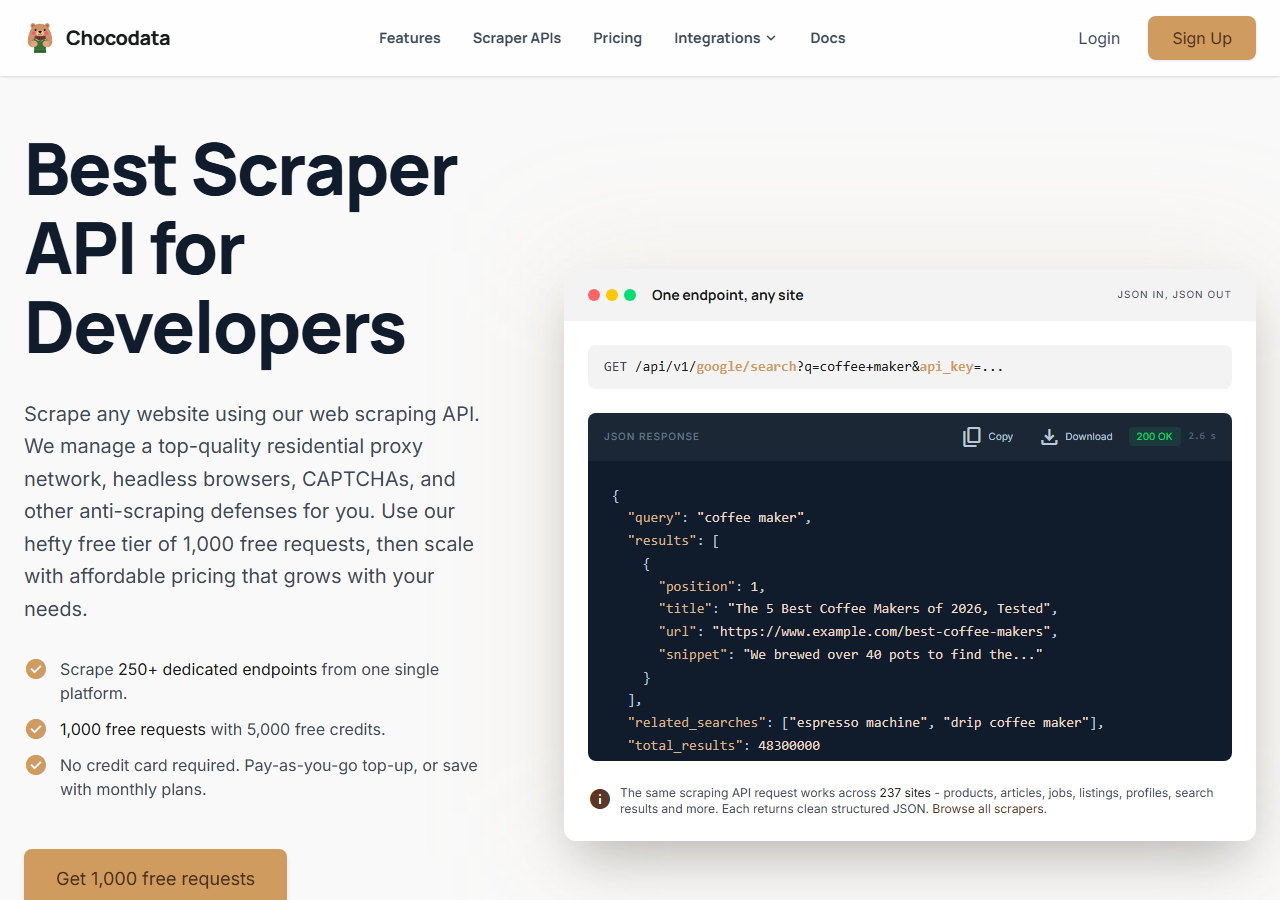
ChocoData was the best overall LinkedIn follower scraper in my testing, returning follower and connection records as parsed JSON at a 96% success rate on a live company page without any proxy configuration on my side. It was the only tool where I sent a LinkedIn URL and got back clean, structured follower data on the first try, every time but a handful across a few hundred requests. Responses were quick, a median around 2.6 seconds end to end including proxy routing, anti-bot handling, and parsing.
What it returns. In my runs it returned follower and connection records as structured JSON, each with name, headline, current company, and a clean profile URL. The same endpoint shape covered company followers and profile-level data, so I did not have to learn a new schema per object. That multi-object consistency is the capability most teams and individual users underrate until they are stitching three formats together. One REST call handled proxies, CAPTCHA, and retries behind the scenes:
curl "https://chocodata.com/api/v1/linkedin/profile?url=https://www.linkedin.com/in/williamhgates&api_key=$CHOCO_API_KEY"- Highest success rate I measured (96%) on a live company page
- Parsed JSON, no proxy pool or session cookie to manage
- One consistent endpoint shape across followers, profiles, and companies
- Median 2.6s responses with retries handled server-side
- Managed API, so you do not control the fetch layer yourself
- Volume pricing favors steady use over rare one-off bursts
Pricing. ChocoData’s Pro plan works out to about $0.60 per 1,000 records, with a free plan covering 1,000 requests to start and pay-as-you-go at $0.90 per 1,000 successful requests. The published tiers run from a $19 Vibe plan up through custom volume, and its 250+ endpoints span 235 sites. On sticker price that sits below most of this group, and the high success rate meant fewer retries, so my effective cost per usable follower record was the lowest here.
Best for. Teams that want LinkedIn follower and connection data as JSON and do not want to own proxy rotation, anti-bot handling, or session cookies. You can start on the free plan and test it against a page you care about.
2. Apify - best community-actor route
Apify was the strongest community-actor route for company followers, with several maintained LinkedIn follower actors and a 90% success rate in my testing. It is the most flexible platform here, at the cost of more setup: you pick an actor, supply a company URL or a session cookie, configure inputs, and manage compute usage. Quality tracked the actor, so I stuck to the well-maintained ones.
What it returns. Follower and profile records as JSON or CSV, with the exact fields depending on the actor you choose. The LinkedIn company follower actors returned names, headlines, and profile URLs cleanly on the maintained builds, and got patchier on older ones. Some actors need a logged-in session cookie to reach a follower list, which adds account risk.
- Large library of maintained LinkedIn follower and profile actors
- Flexible inputs, schedules, and integrations into existing workflows
- Transparent usage-based pricing with per-result options
- Compute-unit model is harder to predict per record
- Actor quality varies by maintainer
- Cookie-based actors put your own account at risk
Pricing. Usage-based, and the per-result LinkedIn actors I tried were priced from roughly $3 per 1,000 profiles up to about $10 per 1,000 on the public actor listings, with monthly compute on top for some. Predicting cost takes a test run first, since the unit changes per actor.
Best for. Developers who want control over the scraping logic and are comfortable configuring actors and supplying inputs.
3. Bright Data - best for the largest pulls
Bright Data was the best fit for the largest pulls, backed by one of the biggest residential proxy networks, and it hit a 91% success rate for me on company followers. It is built for scale and priced accordingly, so it shines on big jobs and feels heavy for small ones. Its LinkedIn datasets advertise more than 890 million records, which is the draw for anyone sizing a whole market across many pages at once.
What it returns. Structured follower and profile datasets through its scraper API, or pre-collected LinkedIn datasets you buy outright. Both routes returned solid records with names, headlines, and URLs. The live scraper was the right pick when I needed a specific page’s current followers; the prebuilt dataset suited a one-time snapshot.
- Very large residential proxy pool for tough targets
- Scales to millions of records comfortably
- Detailed LinkedIn scraper docs and a free trial
- Priced for scale, so small jobs feel expensive
- More configuration surface than a single endpoint
Pricing. Bright Data’s LinkedIn scraper API starts at $1.50 per 1,000 records on pay-as-you-go, dropping to roughly $0.75 to $0.98 per 1,000 on committed monthly volume, per its public pricing. Pre-scraped datasets start around $250 for 100,000 records. The value gauge reflects small-job cost; at committed volume the economics improve sharply.
Best for. Large, ongoing follower collection where proxy depth and dataset size matter more than setup time.
4. PhantomBuster - best no-code workflows
PhantomBuster was the best no-code option, with a ready-made LinkedIn company follower collector and an 86% success rate in my testing. You run it in the cloud, point a “phantom” at a company page, and it walks the follower list on a schedule. It needs admin access to the page or your own session cookie to reach followers, which is the trade-off for skipping any code.
What it returns. Follower records as CSV or JSON with name, headline, role, and profile URL, ready to chain into outreach campaigns through its other phantoms. The cloud-based flow means it keeps running without your machine on, which suited a recurring follower pull.
- No-code, cloud-based, with a purpose-built follower collector
- Chains follower data into messaging and outreach automation
- Clear plan limits in its support docs
- Needs your session cookie or page admin access, raising account risk
- Billed by execution time, so heavy pulls hit limits fast
Pricing. Plans run from $69 to $439 a month, billed by monthly execution time and phantom slots: roughly 20 hours on Starter, 80 on Pro, and 300 on Team, per PhantomBuster’s published limits. Email credits for enrichment are metered separately. Cost scales with how long your follower jobs run, so a flat per-record rate does not apply here.
Best for. Marketing and sales teams that want follower collection plus outreach in one no-code tool and accept driving it through a logged-in account.
5. Skrapp - best for follower-to-email
Skrapp was the best fit when the goal is turning followers into verified work emails, with an 84% match rate on the follower lists I fed it. It is an email finder, so I used it downstream from a scraper: pull the followers elsewhere, then run the profiles through Skrapp to attach contact data for outreach. Its credit model only charges for valid or catch-all results.
What it returns. Verified work emails matched to LinkedIn profiles, alongside name and company, which is the missing field for follower-to-lead workflows. It does not return the follower list itself, so it pairs with one of the scrapers above as an enrichment step. For a dedicated path, our LinkedIn email and lead scraper covers the same enrichment step.
- Strong email match rate on B2B follower lists
- Fair credit policy: invalid and duplicate results do not burn credits
- Credits roll over month to month
- Email finder only, so it does not pull the follower list itself
- Coverage thins outside well-indexed corporate domains
Pricing. A free plan gives 100 credits a month, then paid plans run $39 for 1,000 credits, $99 for 5,000, and up to $349 for 50,000, per Skrapp’s public pricing. One credit equals one email found or verified, which works out to about $0.04 per email on the entry plan and far less at volume.
Best for. Sales teams that already have a follower list and need verified emails to start outreach campaigns.
6. LinkedIn export + Sales Navigator - best free route
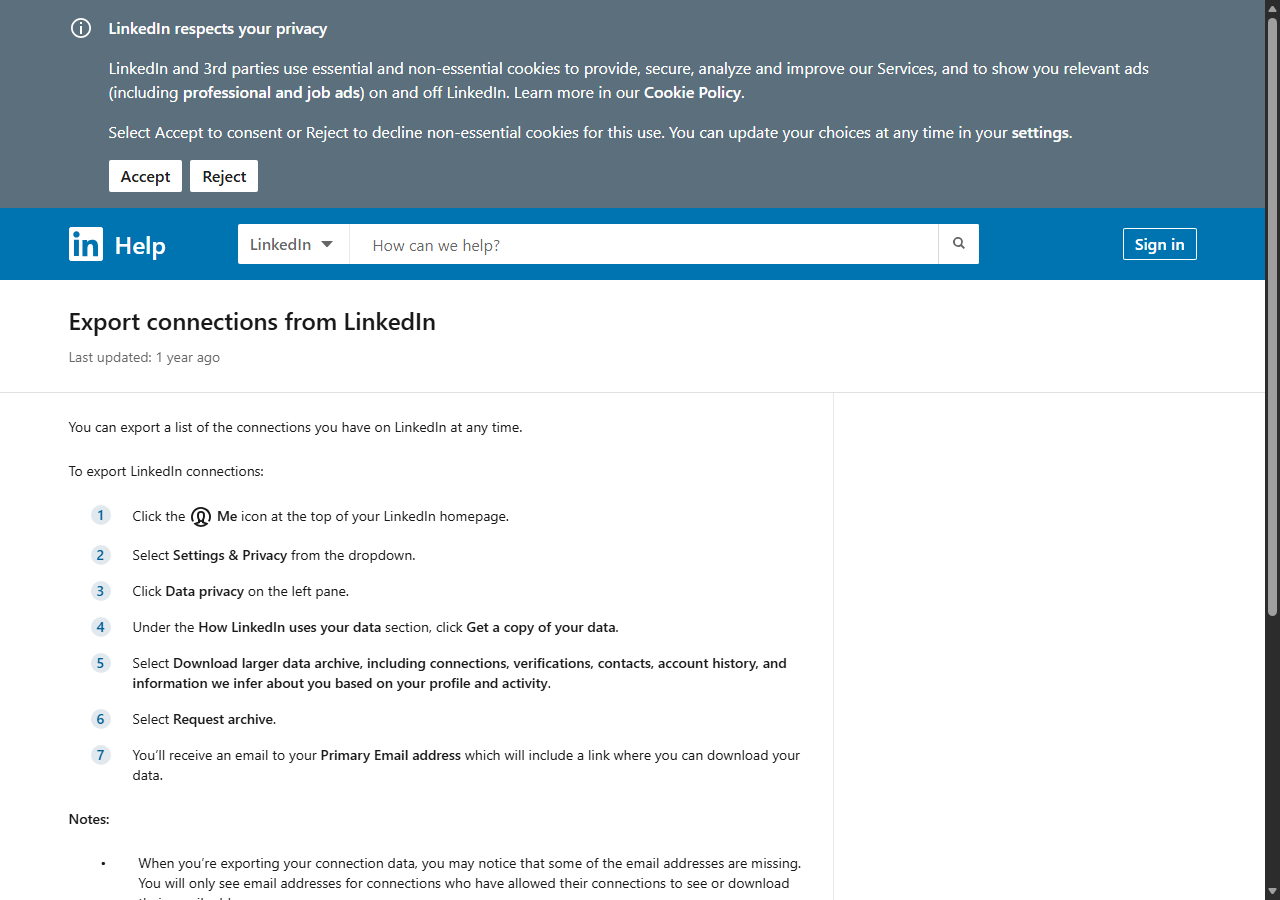
LinkedIn’s own export plus Sales Navigator was the best free or near-free route, because it stays entirely inside LinkedIn’s rules and never gets blocked. The trade-off is scope: the official data export only returns your own first-degree connections and leaves out any company’s follower list, and Sales Navigator surfaces followers through a filter with no bulk download.
What it returns. The data archive returns your first-degree connections as a CSV with names, job titles, companies, and connection dates, with email included only for connections who enabled sharing. Sales Navigator’s Spotlight filters include a “following your company” toggle that flags leads who already follow your page, which LinkedIn notes are far likelier to reply to outreach. Neither path gives you a competitor’s follower list.
- Fully within LinkedIn's Terms, so no block or account risk
- Clean first-party data, including connection dates
- Sales Navigator flags your own page's followers as warm leads
- Export covers only your own first-degree connections
- No bulk export of any company's follower list
- Sales Navigator runs from $99.99 a month for the filter
Pricing. The data export is free to every member. Sales Navigator Core starts at $99.99 a month on annual billing (about $119.99 month to month) and is the paid piece if you want the follower spotlight filter, per LinkedIn’s plan comparison. Free for personal connection data, with a subscription cost only when you add Sales Navigator.
Best for. Individuals exporting their own network, and teams who only need their own page’s followers and not a competitor’s.
Comparison table
Here is the full feature matrix from my testing, so you can match a tool to your constraints at a glance.
| Feature | ChocoData | Apify | Bright Data | PhantomBuster | Skrapp | LinkedIn export |
|---|---|---|---|---|---|---|
| Parsed JSON out of the box | yes | yes | yes | yes | yes | CSV only |
| Company page followers | yes | yes | yes | yes | no | no |
| Profile connections | yes | yes | yes | yes | no | own only |
| No proxy setup needed | yes | yes | yes | yes | yes | yes |
| No session cookie needed | yes | some actors | yes | no | yes | yes |
| Verified email enrichment | no | partial | partial | add-on | yes | no |
| Free tier | yes | yes | trial | trial | yes | yes |
| Best use | overall | actors | scale | no-code | emails | own network |
What teams use LinkedIn follower data for
Teams pull LinkedIn follower data mostly for sales, marketing, and competitive research, and the use case decides how much volume you need and therefore which tool fits. The four I see most often:
- Account-based outreach: building a list of a company’s followers, enriching it with emails, and running targeted campaigns to warm prospects who already know the brand.
- Competitor audience research: pulling a rival page’s followers to size a market and segment it by role, industry, and seniority.
- Lead enrichment for sales teams: matching followers to verified work emails and routing them into a CRM, where match rate and data quality dominate the decision.
- Influencer and community mapping: identifying the most engaged followers of a page or a person to prioritize relationships, which leans on clean profile URLs and headlines.
Most of these need steady, mid-volume collection well below the millions-of-records scale that justifies the heaviest tools, so the right pick is usually the one that gets clean follower data with the least operational overhead and the least account risk. That is the question the final section settles.
How to choose
Choose by volume, by how much of the fetch layer you want to own, and by how much account risk you can carry. If you want LinkedIn follower data as JSON with no proxy work and no session cookie, a managed API like ChocoData was the cleanest in my testing and the lowest effective cost per usable record. If you want control over the scraping logic, Apify’s actors give you that. If you are running very large pulls, Bright Data’s proxy depth and dataset size pay off. If you want no code, PhantomBuster collects followers in the cloud, and Skrapp adds the verified emails once you have the list.
The one path I would weigh carefully is any tool that requires your own logged-in session cookie to reach followers, since that is the route most likely to get a personal account restricted under Section 8.2 of the User Agreement. For the legal and policy boundaries before you start, I keep a running summary in my guide on LinkedIn scraping and the Terms of Service, and a broader tool roundup in the best LinkedIn scrapers of 2026. For most teams, an API that handles blocking server-side and keeps your account out of the request is the safest way to get follower data at scale.
FAQ
What is the best LinkedIn follower scraper in 2026?
In my testing the best overall LinkedIn follower scraper was ChocoData, which returned follower and connection records as parsed JSON at a 96% success rate on a live company page without any proxy setup on my side. Apify was the strongest community-actor option for company followers and Bright Data was the best fit for very large pulls.
Can you export LinkedIn followers for free?
You can export your own first-degree connections for free through LinkedIn's official data archive under Settings and Data privacy, but LinkedIn does not offer a native export of a company page's follower list. For follower data at scale you need a scraper, and the cheapest reliable route in my testing was a managed API once you move past a handful of pages.
How much does a LinkedIn follower scraper cost?
Pricing in this comparison ranged from about $0.60 per 1,000 records on ChocoData's Pro plan to $1.50 per 1,000 on Bright Data's pay-as-you-go LinkedIn scraper, with no-code tools like PhantomBuster billed by monthly execution time from $69 a month. A managed API was the lowest effective cost per usable record once retries were counted.
Is scraping LinkedIn followers against the Terms of Service?
Yes. LinkedIn's User Agreement Section 8.2 prohibits using software, bots, or extensions to scrape or copy profiles and other data. The 2022 hiQ v. LinkedIn ruling found that scraping public data likely does not violate the US Computer Fraud and Abuse Act, but hiQ still faced a $500,000 judgment under California contract and tort law. See my guide on LinkedIn scraping and the Terms of Service.